The Apollo Test Mode is a built-in 9-point system verification for the Athena Apollo 500. Each test confirms correct installation, calibration and detection accuracy, and the station documents the results automatically.
This article covers the parts used in the test and walks through each step on the station tablet. The full test takes about one minute with one operator.
DHS Best Practices 8.2: DHS 8.2 emphasizes regular testing and documentation of screening equipment to ensure optimal performance and reliable threat detection. Apollo Test Mode creates that record automatically, giving leadership clear performance insights and compliance assurance.
Watch this first: Apollo 500 Testing and Documentation video
Apollo 500 Test Components
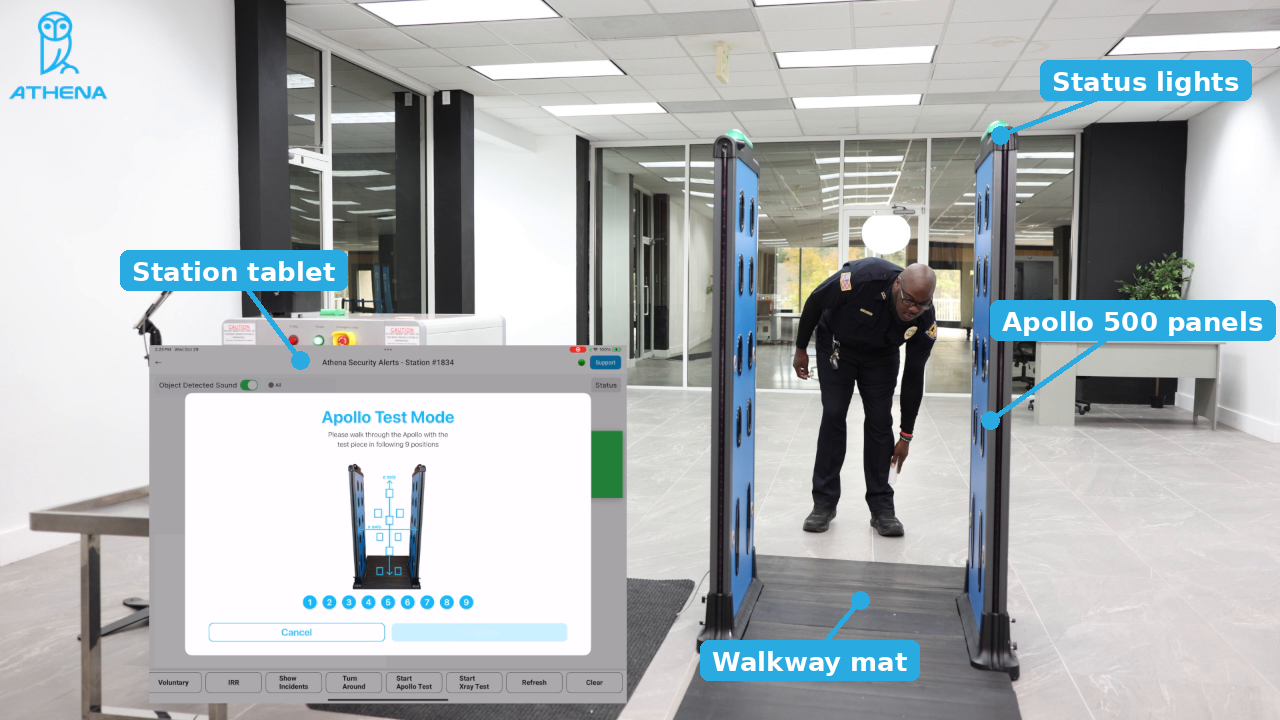
The Apollo Test Mode uses the parts below. Make sure each one is in place before starting the test.
1. Station Tablet
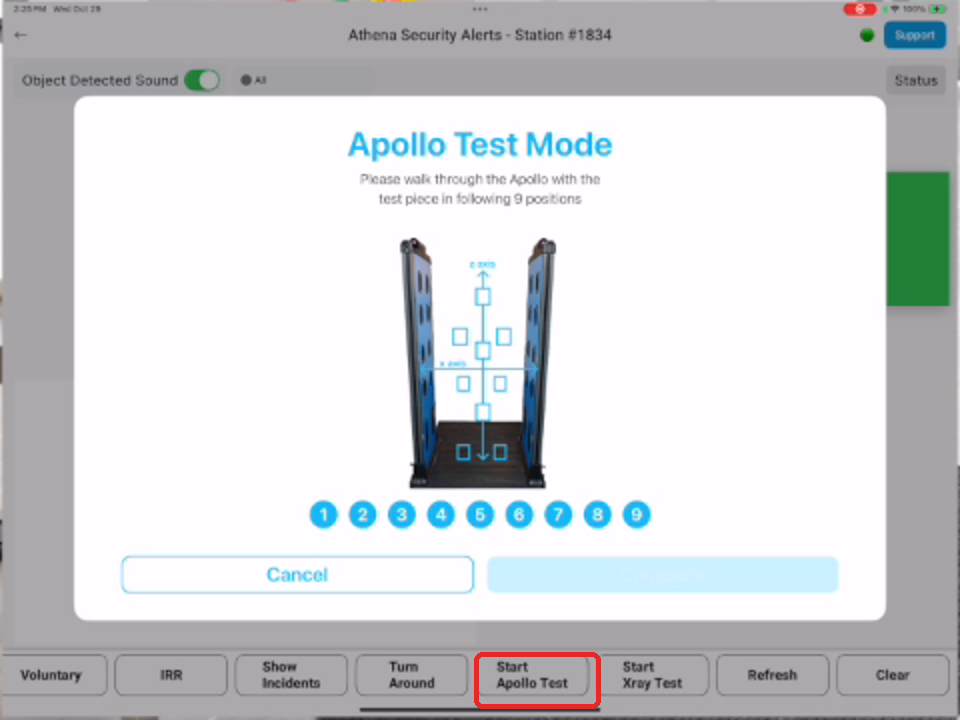
The Station Tablet runs Athena Security Alerts and controls the test from start to finish.
Key capabilities
- Start Apollo Test: launches Apollo Test Mode from the bottom menu.
- Position Tracker: shows positions 1 to 9 and checks off each one as it is detected.
- Automatic Documentation: saves every completed test for reporting and compliance.
- Support: connects the operator to Athena Support from the top right of the screen.
 2. Apollo 500 Panels
The two upright detection panels form the walk-through lane. The operator carries the test piece between them at each of the 9 positions.
3. Status Lights
The lights on top of each panel show detection status as the operator passes through.
4. Walkway Mat
The floor mat between the panels marks the walk-through lane and keeps each pass centered.
5. Test Piece
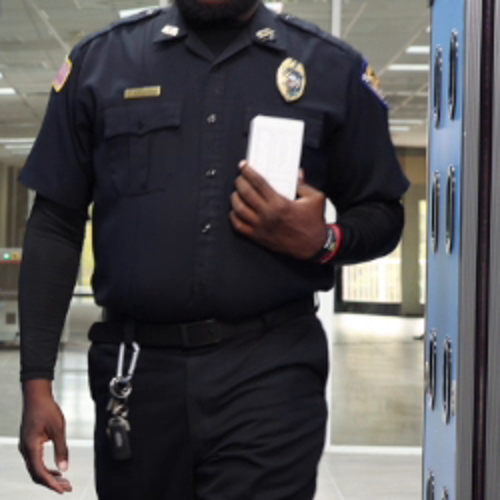
The handheld object the operator carries through the panels. Use the same test piece for every test so results stay comparable.
How To Run The Apollo Test
- Clear Pass - The test begins with the Clear Pass to Start screen. Remove all metal from your person (keys, phone, radio) and walk through the Apollo without the test piece. This confirms the lane is clear before testing begins.
NOTE: Please ensure you are a “Clean Tester” by removing all large metals, phones, watches, and electronics from your person. This will ensure that the system is being tested to the highest standards of accuracy and reliability, allowing us to properly evaluate the poles detection capabilities and adherence to homeland security protocols. Full article here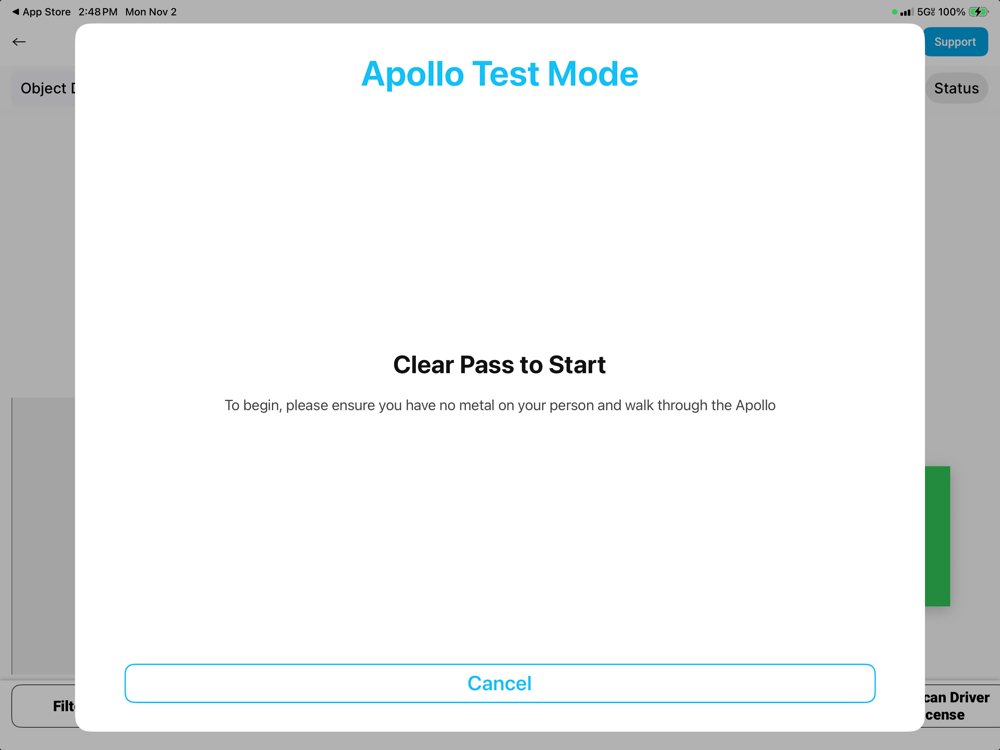
- Apollo Test Mode - After the clear pass, the 9-position screen opens. The diagram shows the 9 positions where the test piece must pass through the panels.
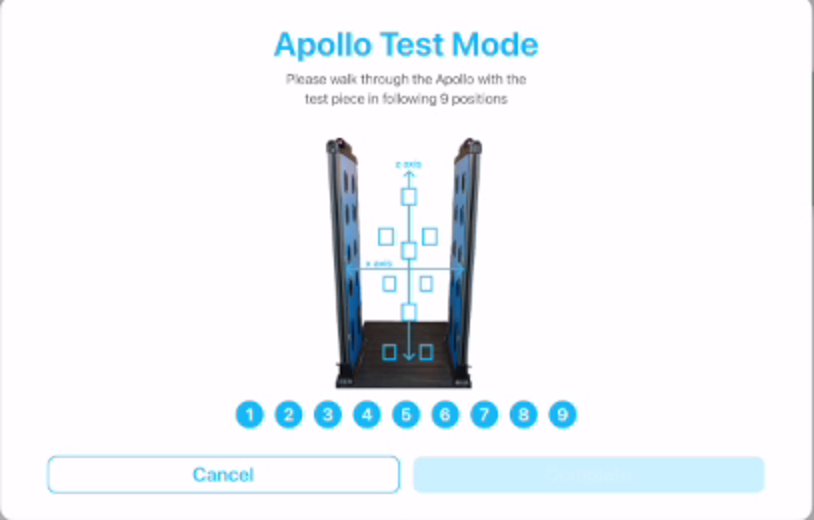
- Get Ready - Pick up the test piece and stand at the entrance of the walkway mat, facing the panels.
NOTE: Keep all other metal off your person for the rest of the test so only the test piece is detected. - Low Positions (1 to 3) - Walk through the panels holding the test piece low, near the ankles and lower legs, following the diagram for each position.
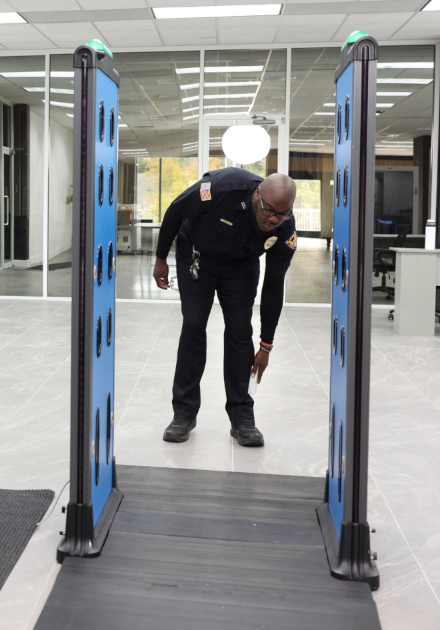
- Position Tracker - After each pass, check the tracker at the top of the screen. A checkmark replaces the number once the position is detected.
NOTE: If the number does not change, walk that position again.
- Hip Positions (4 and 5) - Walk around the panels back to the entrance and pass through holding the test piece at hip level.
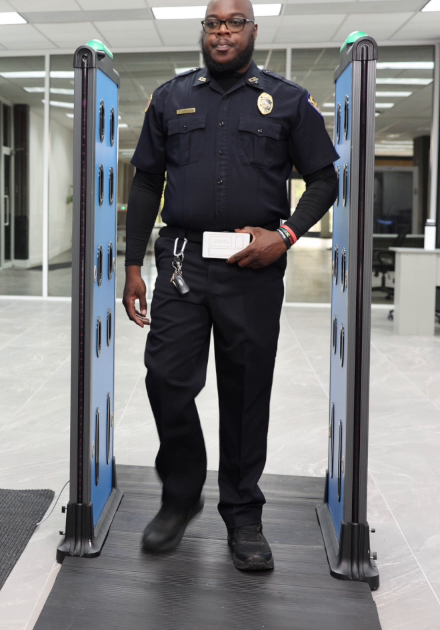
- Upper Positions (6 to 9) - Pass through holding the test piece at chest and upper body level until all 9 positions show a checkmark.
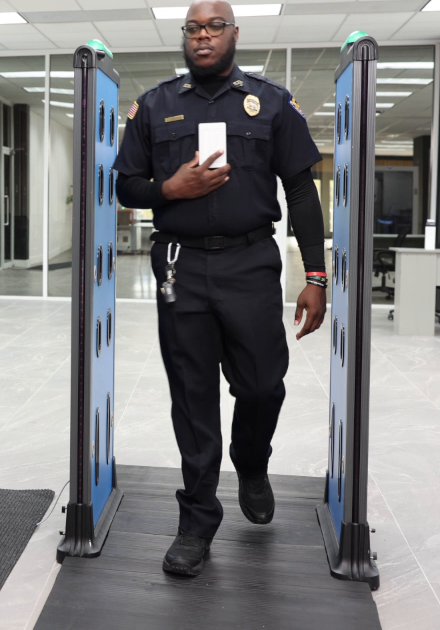
- Complete - Tap Complete to finish. The station saves the results automatically for reporting. Tap Cancel at any point to stop without saving.
NOTE: For optimal performance, it is recommended to test the system at least once per week.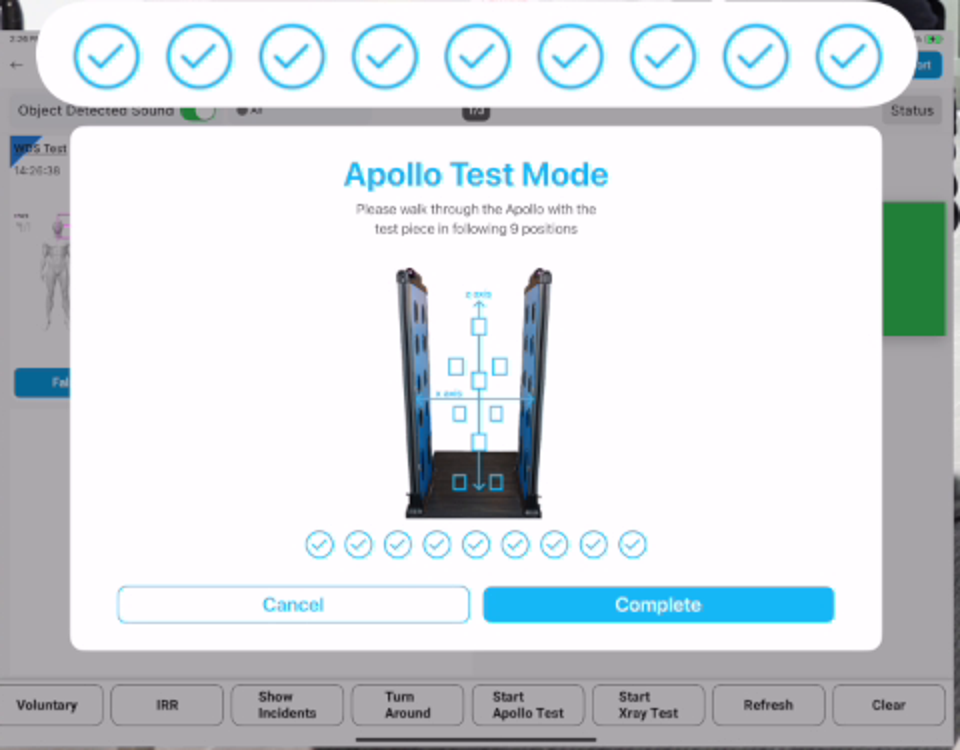
Need Help?
If a position will not register after a few passes, stop the test and contact Athena Support using the Support button on the Station Tablet, or call +1-833-928-4362.
Athena Security, Inc.
248 Addie Roy Road, Suite C101, Austin, TX 78746
Back To Athena Weapons Detection System Website · info@athena-security.com · +1-833-928-4362
On A Mission To Help Save Lives
Was this article helpful?
That’s Great!
Thank you for your feedback
Sorry! We couldn't be helpful
Thank you for your feedback
Feedback sent
We appreciate your effort and will try to fix the article