If your Apollo unit is not powering on, the most common cause is an improper or missing Power over Ethernet (PoE) connection. This article walks you through what to check and how to resolve it.
Overview
The Apollo unit is powered exclusively through a PoE (Power over Ethernet) connection. It does not use a standard power cable. If the PoE setup is incorrect or incomplete, the unit will not turn on.
Before You Begin
Gather the following before troubleshooting:
- PoE Injector (included with Apollo)
- Standard Ethernet/network cable
- Access to a working power outlet
Troubleshooting Steps
- Check that the PoE Injector is plugged in and receiving power.
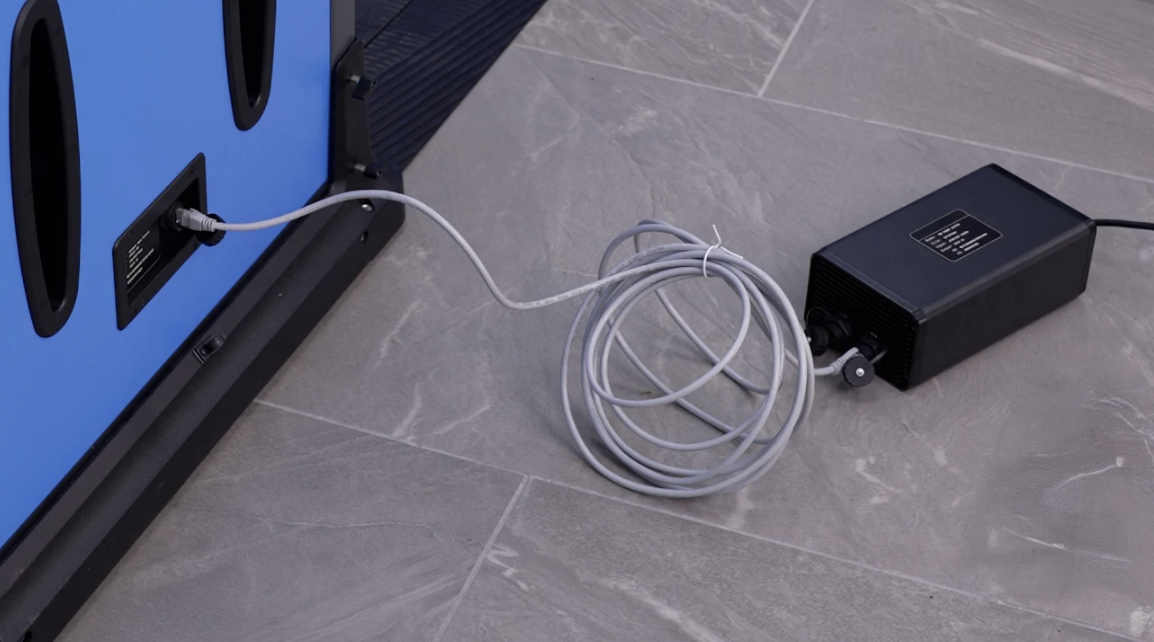
-Connect the PoE Injector to a working power outlet. - Connect the PoE port of the injector to the PoE port on the Apollo.
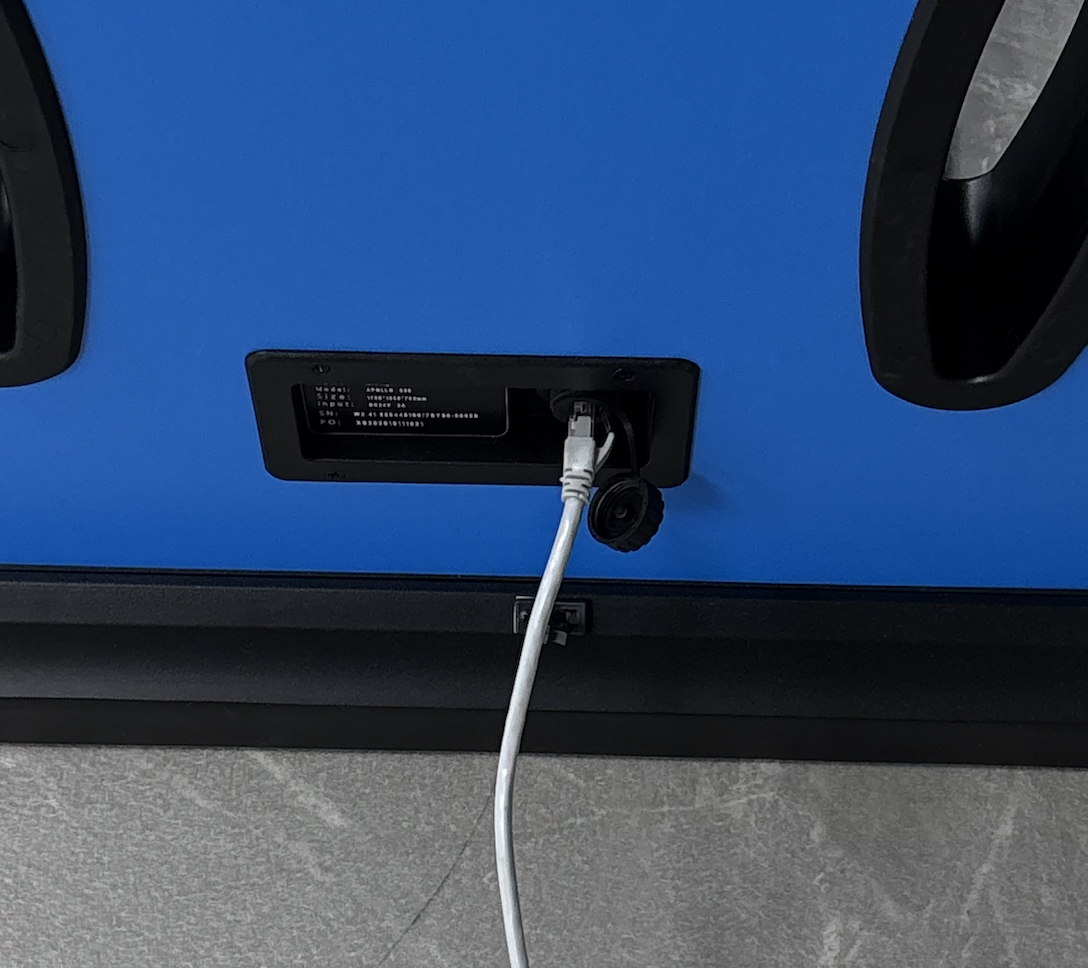
-Using a network cable, connect from the PoE output port on the injector to the PoE port on the side of the Apollo unit. Make sure the cable is fully seated on both ends.
Network cable connected to the Apollo's side port: - Verify the cable is connected to the correct port on the Apollo.
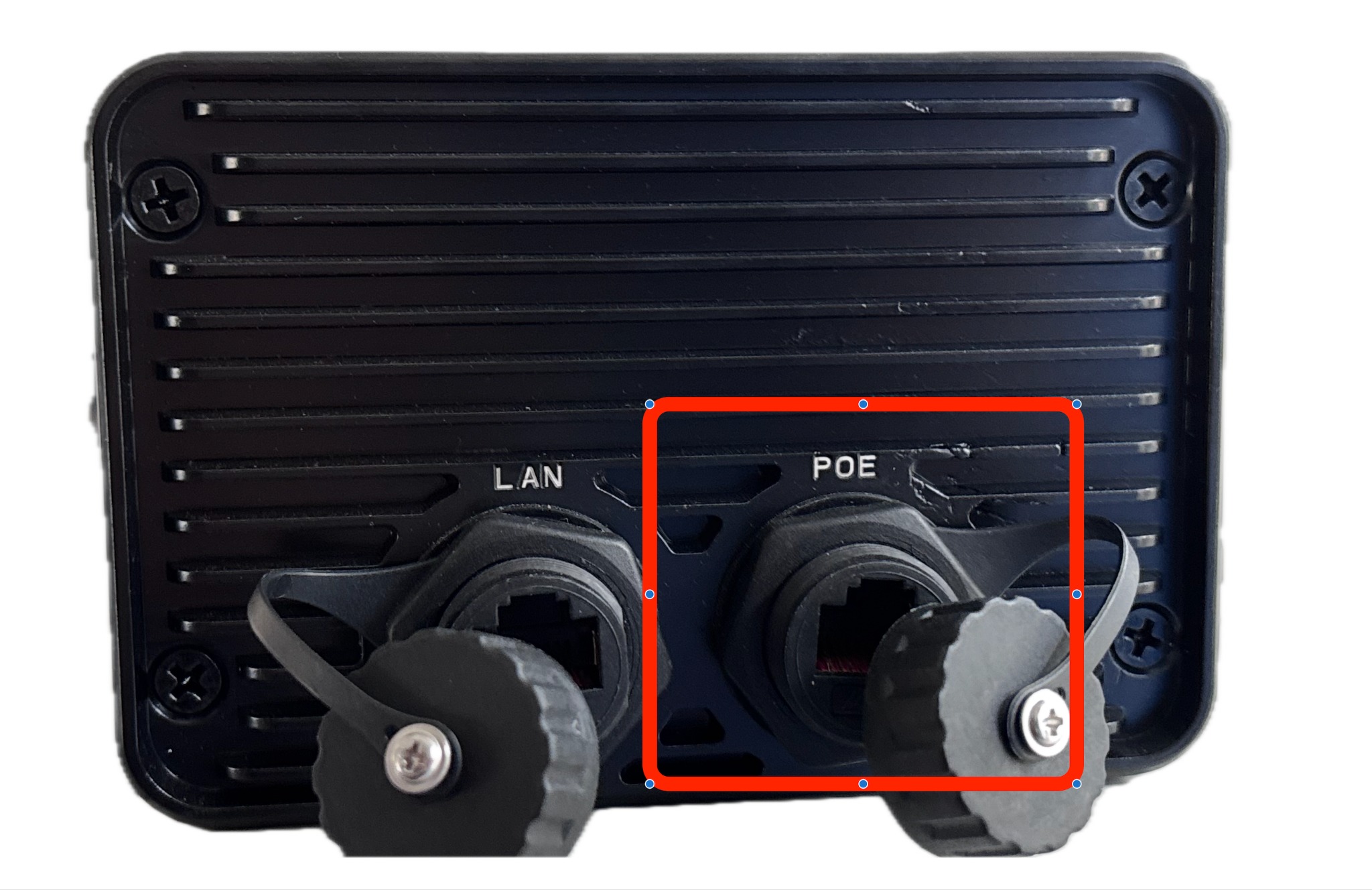
The Apollo has two ports on its panel: LAN and POE. Ensure your cable is plugged into the port labeled POE (highlighted below). Plugging into the LAN port alone will not power the unit
Still Not Working?
If the Apollo still won't turn on after following the steps above, try the following:
- Swap to a different Ethernet cable to rule out a faulty cable.
- Test the PoE Injector with a known-working device if possible.
- Try a different power outlet.
- Contact Athena Security Support for further assistance.
Need more help?
Reach out to the Athena Security support team:
? supportwe@athenasecurity.com
Check Relevant article https://support.athena-security.com/en/support/solutions/articles/65000191070-apollo-weapons-detection-system-single-line-diagram-wired-and-wireless-setup
Was this article helpful?
That’s Great!
Thank you for your feedback
Sorry! We couldn't be helpful
Thank you for your feedback
Feedback sent
We appreciate your effort and will try to fix the article