For Athena customers
Athena Security, Inc. | Effective Aug 31, 2026
If an Athena device is lost or stolen, the priority is protecting the data on it. This policy explains what to do, what Athena does, and what it costs.
Report it immediately
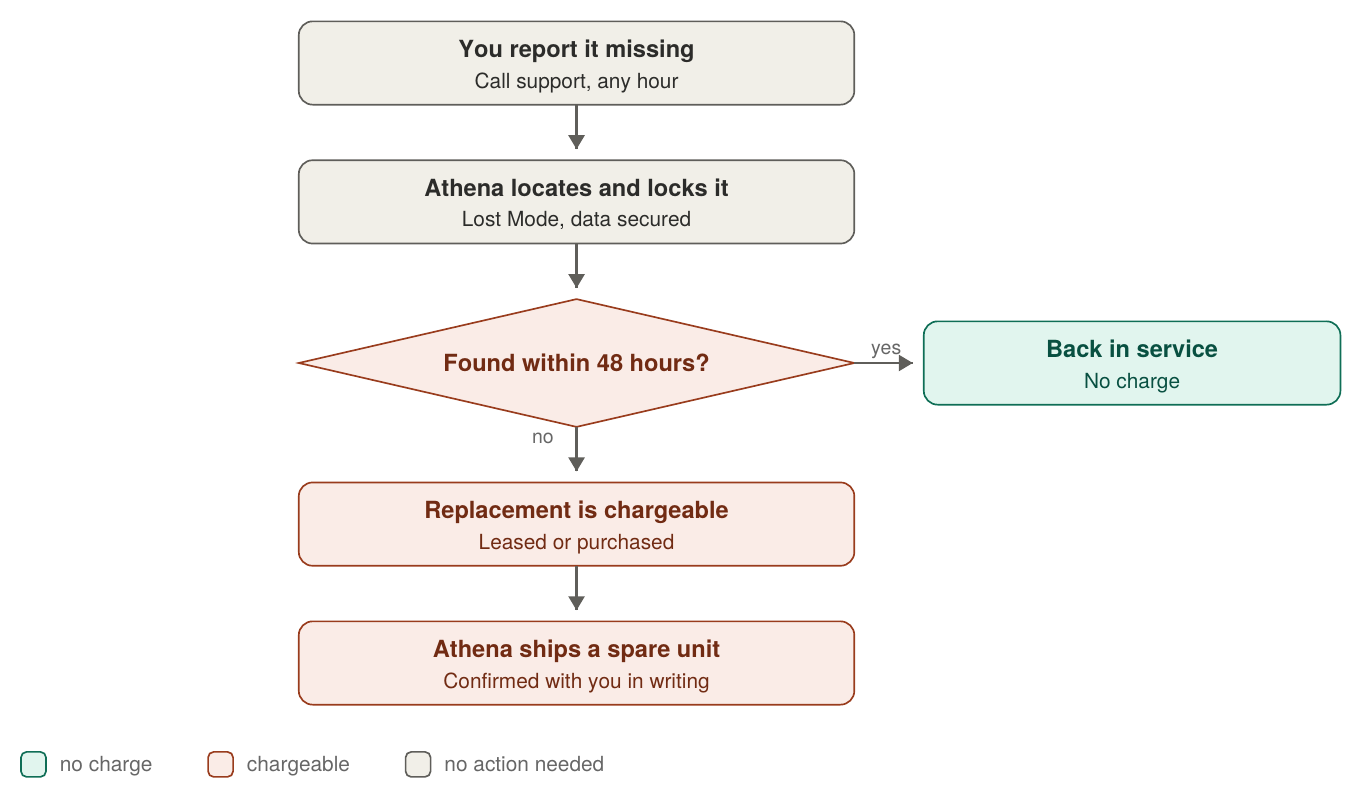
Call Athena Support as soon as you believe a device is missing. Support is staffed 24 hours a day. Have the device name, serial number, or kiosk/station number ready if you have it - if you do not, Athena can identify the device from your account.
Every minute a device is unaccounted for is a minute the data on it is exposed, so report it before you finish searching.
What Athena does
Locates the device. Enrolled devices report their location and last check-in, which usually shows whether a device is still on site or has left the building. Athena shares this with you before taking any action.
Lock the device. Lost Mode makes the iPad unusable - settings cannot be changed and the application cannot be opened. It is fully reversible.
Secure the data. Athena takes additional steps on its own systems so that information on a missing device cannot be read, and confirms your remaining devices are working normally.
Athena acts on the instructions recorded in your Continuity Plan. Depending on what you have chosen, Athena either acts immediately or waits for written approval from the contact you have named.
If the device is found
Athena holds for 48 hours before shipping a replacement, because most devices reported missing turn up inside that window. If yours is recovered in that time, Athena takes it out of Lost Mode, confirms it is working, and it returns to service at no charge.
If the device is not found
After 48 hours, the replacement is chargeable. A lost or stolen device is not a warranty event, and this applies whether your equipment is leased or purchased.
Leased equipment: you pay for the lost device and Athena ships a replacement.
Purchased equipment: you purchase another unit and Athena ships it pre-configured and ready to deploy.
Athena confirms the loss with you in writing before anything ships.
Reducing the impact
Keep your Continuity Plan current. It names who can authorize a lock or a wipe, so no time is lost finding the right person during an incident.
Hold a configured spare on site. A spare kept powered on and updated can be swapped in immediately rather than waiting on a shipment.
Speak to your Athena account manager or contact sales to put either in place.
Questions
Contact Athena Support at 833 928 4362 or supportwe@athena-security.com, or reach your account manager directly.
What happens, step by step
Email- support@athena-security.com,
Call-833-928-4362 27/7 Support
Athena Security Help Desk Ticket (website)
https://support.athena-security.com/support/home
Was this article helpful?
That’s Great!
Thank you for your feedback
Sorry! We couldn't be helpful
Thank you for your feedback
Feedback sent
We appreciate your effort and will try to fix the article