Moving your Apollo 500 Weapons Detection System (WDS) is a straightforward process once you know how to engage the built-in transport wheels. Whether you need to reposition the unit for high-traffic events or store it securely, follow this guide to safely unlock and lock the wheels.
Every Apollo kit is shipped with a specific tool required for wheel adjustment. If you are a field technician, ensure this tool remains with the client for future use.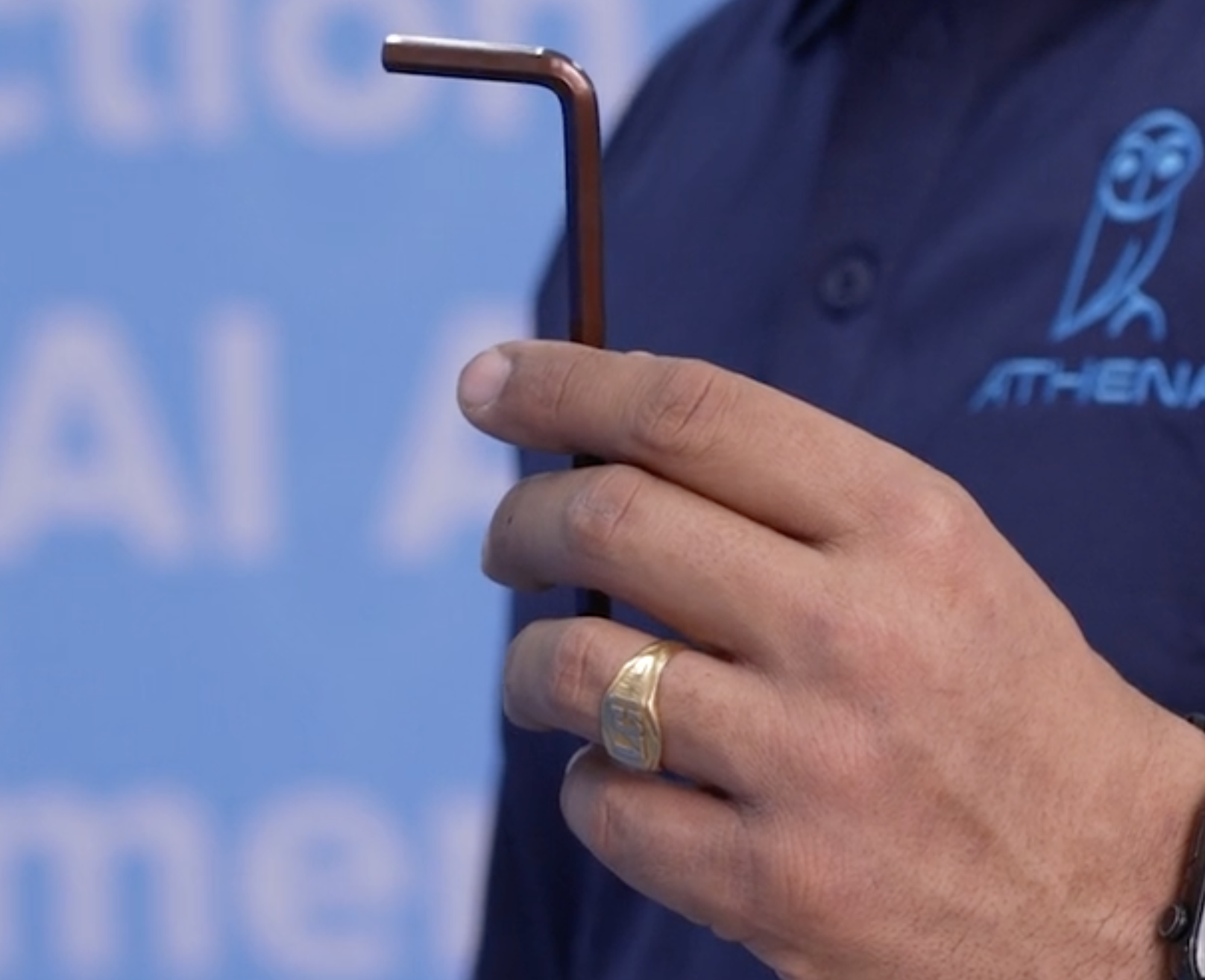
Tool Type: Hex Wrench (also known as an Allen Key).
Metric Size: 6mm.
US Size: 7/32 inch.
Step-by-Step: How to "Pop" the Wheels for Transport
1. Clear the Area
Before attempting to move the unit, ensure the floor is clear of obstructions.
Remove the Mats: Pull up any safety or transition mats. Attempting to roll the unit over mats can damage the wheel housing or cause the unit to tip.
2. Locate the Four Wheel Locks
The Apollo 500 base is equipped with four independent locks (one for each wheel). These are located at the very bottom of the blue pillars on the base assembly.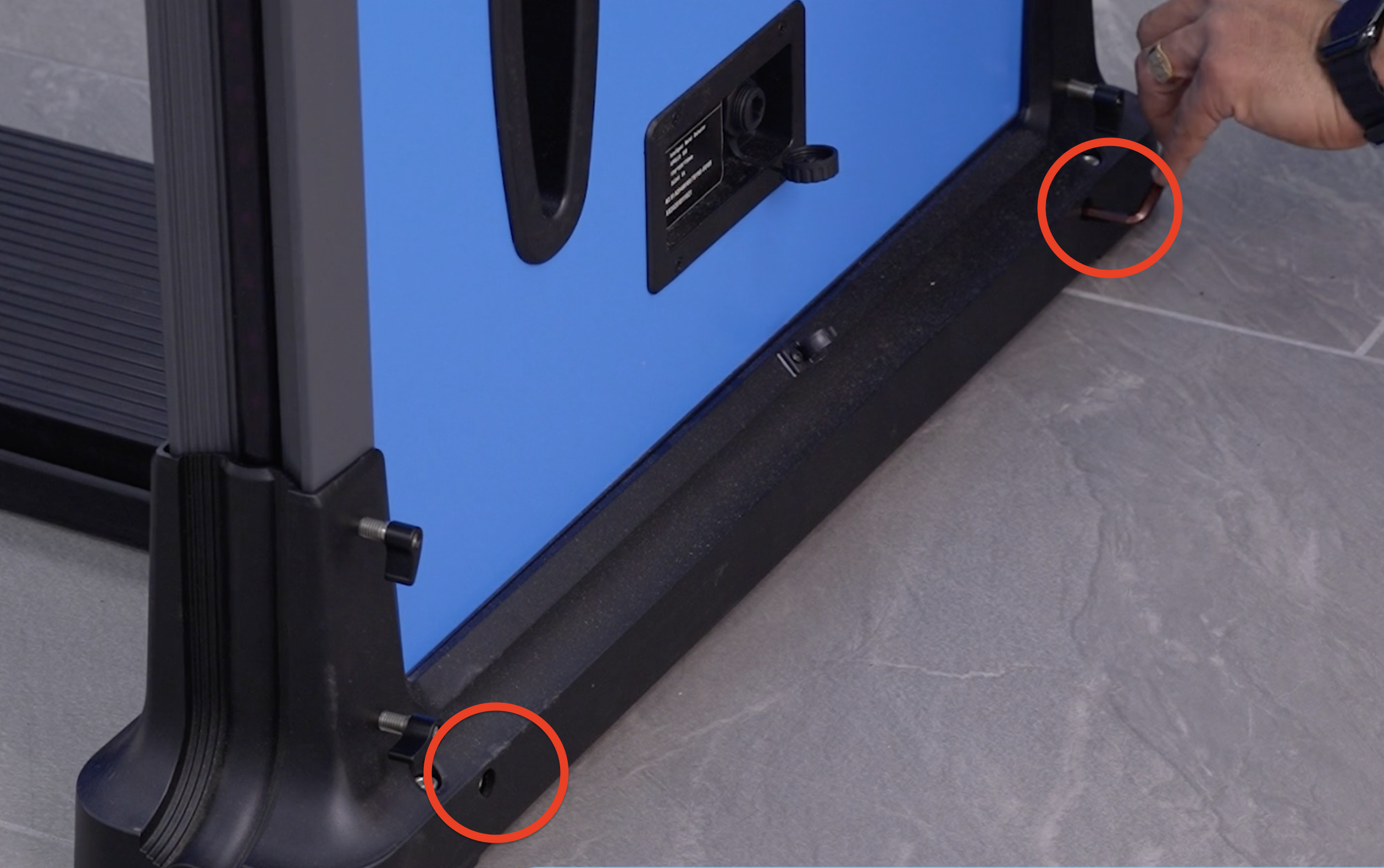
3. Activate the Wheels
Insert the 6mm hex wrench into the locking port.
Turn to unlock; this lowers the internal wheel, "popping" the unit up for mobility.
Important: You must repeat this for all four corners to ensure the unit is level while rolling.
4. Relocate and Secure
Move: Once all wheels are engaged, gently push the Apollo 500 to the desired location.
Lock: To prevent the unit from moving during active security screening, use the hex wrench to tighten the four screws. This retracts the wheels and stabilizes the base on the floor.
Pro-Tip: If the hex wrench is missing, a standard 6mm or 7/32" bit from a hardware store will work. Always ensure the wheels are fully locked before the system is used by the public to maintain calibration and safety.
Frequently Asked Questions (FAQ)
What size Allen key does the Apollo 500 use? The Apollo 500 requires a 6mm (Metric) or 7/32 inch (US) hex wrench to activate the wheels.
Can I move the Apollo 500 while it is turned on? NO! It is best practice to power down the unit and remove the mats before moving to avoid tripping hazards or internal sensor recalibration issues.
Prefer a visual walkthrough? > Please watch our [Apollo 500 Video Guide] below to see exactly how to use the hex wrench to activate the wheel system.
Email- supporwet@athena-security.com,
Call-833-928-4362 27/7 Support
Athena Security Help Desk Ticket (website)
https://support.athena-security.com/support/home
Was this article helpful?
That’s Great!
Thank you for your feedback
Sorry! We couldn't be helpful
Thank you for your feedback
Feedback sent
We appreciate your effort and will try to fix the article